4. OpenWISP modules
Four modules of ours complete OpenWISP. The first three are small Django apps: two extend the device page, one the organization page; the fourth is the agent that runs on the routers. The openwisp2 playbook already installs the three apps: this chapter explains what they do and what to check.
openwisp-netconsole
Repository · Netconsole tab on the device page.
Routers send kernel messages to the server with netconsole (UDP 6666), in
real time, even in the last moments before a hang or a kernel panic, when
syslog no longer makes it. rsyslog stores them in
/opt/router-logs/netconsole-<device name>/, and the tab shows them refreshed
every few seconds, with the rotated files available for download.
- Server side: Play 5 of openwisp2 (rsyslog,
router-logsgroup with read-only access for OpenWISP, rotation script). - Router side: Netconsole template (target in configfs, check every 5
minutes, device name as userdata). It needs the NINUX firmware with
kmod-netconsolebuilt withNETCONSOLE_DYNAMIC. - Log rotation: set from OpenWISP, Monitoring → Router log rotation page (superusers only). Defaults: daily or over 50 MB, 15 days, at most 30 files.
- API for the app:
GET /api/v1/netconsole/device/<uuid>/logs/(since 0.2).
openwisp-luci
Repository · LuCI ↗ button on the device page.
It opens the router web interface in a new tab through the server: the router needs to be reachable only from the server, not from the browser.
- One host per router:
https://<uuid>.luci.ninux-nnxx.it, so cookies and sessions of one router never reach the others. It needs the*.luciDNS and theluci.ninux-nnxx.itcertificate (chapter 2); Play 6 stops if the certificate is missing. - Single-use link valid for 60 seconds, then a
__Host-cookie bound to user, device and password; nginx asks OpenWISP on every request whether the user is still allowed. - Automatic login for superusers: OpenWISP creates over SSH a LuCI session
for the
adminservice user of the router. No password on the server. Everybody else, and whoever wants to log in asroot, uses the LuCI login. - Routers managed on the
wan: theAllow-LuCI-OpenWISPrule opens port 443 only from the server. - API for the app:
POST /api/v1/luci/device/<uuid>/link/(since 0.3; use at least 0.3.1 to open it from the app).
OpenWISP session cookie
The *.luci subdomains belong to the same domain as OpenWISP: the OpenWISP
session cookie must be called __Host-sessionid, which subdomains cannot
overwrite. The playbook sets it.
openwisp-luci-theme
Repository · LuCI theme of the routers box on the organization page.
Each organization picks logo, name, colours and Basic/Advanced mode of the LuCI theme on its routers.
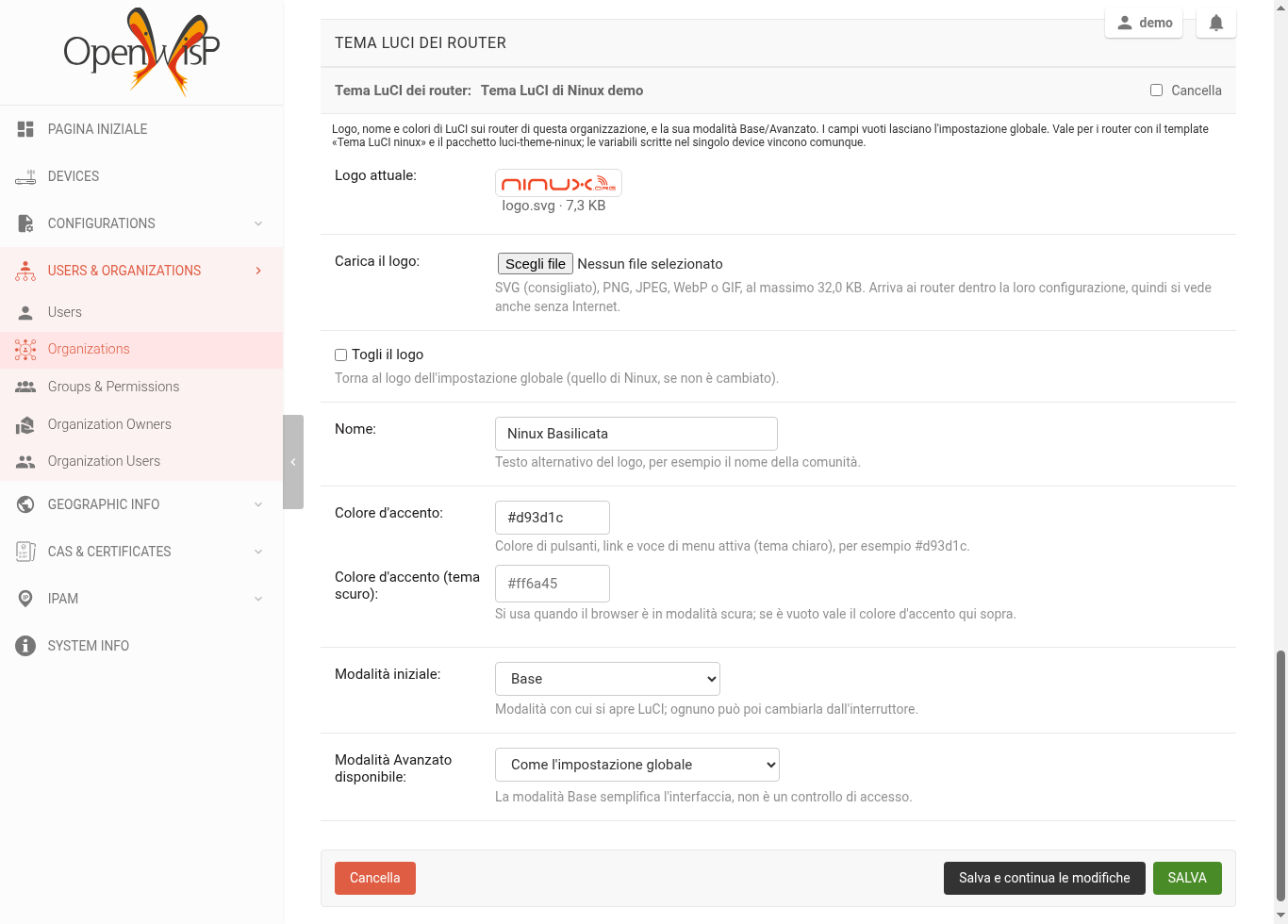
- Uploaded logo: SVG (best), PNG, JPEG, WebP or GIF up to 32 KB. It reaches
the router inside its configuration, as a
data:URI: it shows even without Internet. SVGs with scripts or external references are rejected. - Logo size: LuCI shows it 28 pixels high and at most 220 wide (24 × 150 on phones), so use a horizontal logo, up to about 8 times wider than high, without empty margins. For PNG, JPEG, WebP and GIF use double size, 56 × 440 at most, so it stays sharp on high-density screens.
- Empty fields: keep the global value of the playbook (
ninux_luci_*). Variables set on a single device still win. - Router update: saving the box makes OpenWISP recompute the configuration of the organization's devices, which download it at their next check. The Tema LuCI ninux template must be assigned to the routers.
- Permissions: superusers and the Administrator group edit, Operator views.
- Example: the Basilicata organization has the Ninux logo, the name
"NINUX Basilicata", Ninux orange (
#d93d1c, dark#ff6a45) and Basic mode. The test WRT3200ACM received it by itself a couple of minutes after saving.
Where the values come from
Global context of the playbook → organization and group variables → theme
box → device variables (they win). The Tema LuCI ninux template has
no default values on purpose: OpenWISP would copy them into the variables
of every device, where they would win over the box. The values for
everyone (ninux_luci_mode, ninux_luci_allow_advanced and the other
ninux_luci_*) are in the playbook, context tag.
openwisp-config (fork)
Repository · the agent running on the routers.
It is the fork of the official agent with the fixes to the SIGUSR1/USR2
signals: without them the agent could die in the first loop after boot or
while applying a configuration, leaving the router stuck on "config
modified". The problem is reported upstream in
openwisp-config#283.
The NINUX firmware takes it from the fix/sigusr-handlers-startup branch of
the fork, with the feed in config/build.yml of ansible-ninux-openwrt:
src-git openwisp_config https://github.com/mikysal78/openwisp-config.git;fix/sigusr-handlers-startup
When the fix lands upstream, we will go back to the official package.
Checklist
- The device page has the Netconsole tab and the LuCI ↗ button.
- Netconsole shows recent lines for a router with the Netconsole template.
- LuCI opens (as a superuser, already logged in as
admin). -
curl -X OPTIONS https://openwisp.ninux-nnxx.it/api/v1/luci/device/00000000-0000-0000-0000-000000000000/link/ - On the organization page there is the LuCI theme of the routers box. answers 405 (API present), not 404.